Sees your screen
Ask it to look at an error, a design or a document and it tells you what it finds.
OMNIX is a holographic AI character for Windows. It talks with you, remembers you and helps run your computer.
Windows 10 and 11. Free to download; a paid plan is required to use it.
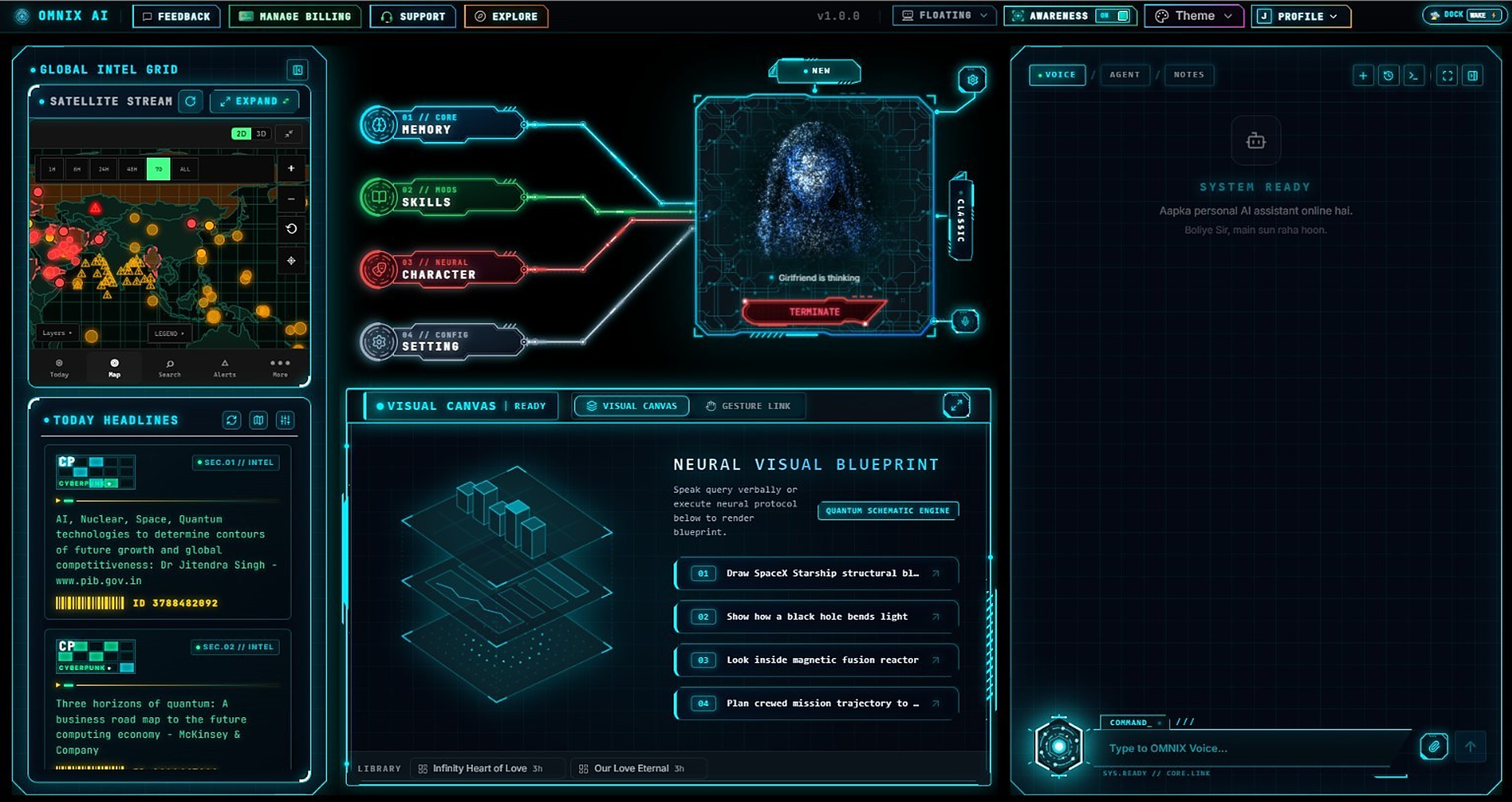
This is the real OMNIX dashboard. Choose an area, or tap it on the screen, to zoom in and see what it does.
OMNIX
OMNIX Link
Connect your phone to OMNIX on your PC and talk to the same assistant from another room or on the move.
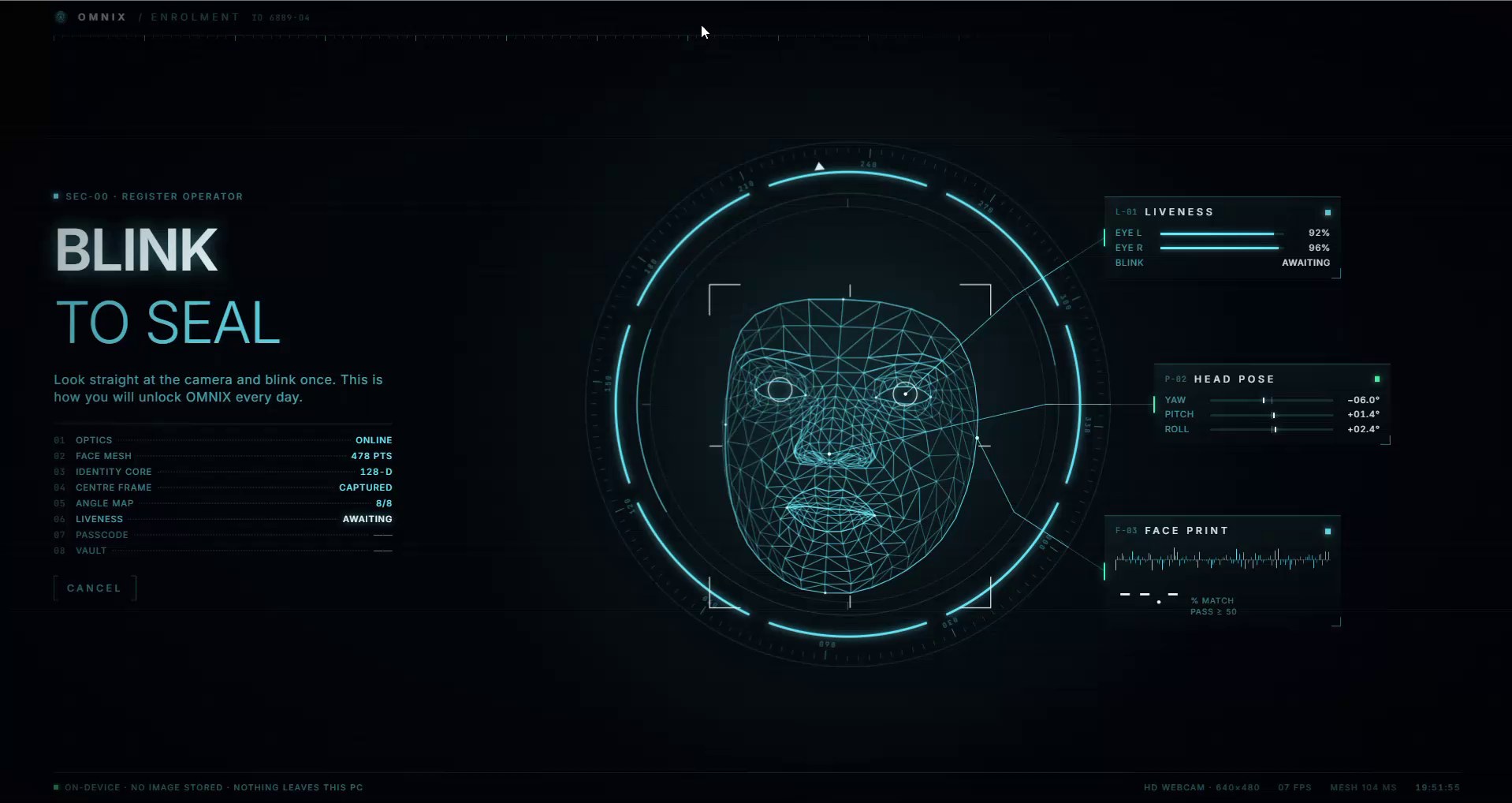
Register once, then look at the camera and blink to unlock OMNIX. The enrolment screen states that it runs on your device, stores no image and sends nothing off your PC.
Gesture Link uses your webcam to follow your hand. Choose a gesture to see the hand and the screen respond.
Animated illustration. Your camera is not used on this page.
OMNIX has a Global Intel Grid with a map and headlines. Try this web version: spin the globe, switch to 2D and jump to any event.
Locating the ISS
Web demo using public data: earthquakes from USGS, station position from wheretheiss.at. The in-app grid has its own layers and alerts.
Pick a topic or type your own. Watch fresh headlines decode in front of you.
Web demo with live stories from Hacker News search and Spaceflight News. Links open the original publisher.
Choose a hologram, then drag to turn it. Pull it apart, zoom in or strip it to wireframe.
Render
Interactive web preview of the idea behind the Visual Canvas. Models inside the desktop app may look different.
Ask it to look at an error, a design or a document and it tells you what it finds.
Opens apps, manages files, uses the clipboard, runs commands and plays music.
Dock it as a small companion that stays on top while you work or play.
Lifetime is one payment. After the free month, use your own API keys (your provider bills you) or choose OMNIX Cloud.
India: ₹3,999
Optional add-on to Lifetime
For all-day use. Add-on to Lifetime
Cards, Apple Pay, Google Pay, UPI, bank transfer (India) and USDT (TRC-20).
out of 5, from 41 in-app ratings
76% rated it 4 stars or higher
“Great experience! The issue with connection and setup was resolved very quickly and smoothly via AnyDesk. Excellent and responsive support. Thank you!”
v1.0.55
“Very Good Work and highly appreciated the hard work in designing this”
Windows, v1.0.55
“love the voice assistant experice”
Windows, v1.0.44
“Brother nice work”
Windows, v1.0.52

Inventor of OMNIX, Ahmedabad, India
“I refused to accept that the future of AI was just a text box in a browser tab.”
I grew up dreaming of real sci-fi technology: an intelligence that lives inside your own computer, understands your screen and reacts to your hands.
With no venture capital, I spent hundreds of late nights building OMNIX from scratch. It is my life’s work.
Windows 10 or 11 (64-bit), an Intel Core i5, AMD Ryzen 5 or similar, 8 GB RAM and internet. Voice needs a microphone; gestures and face unlock need a webcam. A dedicated graphics card is not required.
The license is paid once and includes one month of OMNIX Cloud. After that, connect your own API keys, where your provider charges for usage, or subscribe to Cloud for $19 or $49 a month.
API keys and your memory vault are stored encrypted on your PC. To answer you, requests go to the AI service in use: your own provider or OMNIX Cloud.
Card payments activate instantly — your 3-PC license key, receipt, and Windows installer link arrive in your email right away, and signing in with the same Gmail ID in the app unlocks automatically. For UPI or USDT payments, upload your receipt on checkout and our team verifies and emails your key within minutes.
If our team cannot fix an installation or launch fault on your verified Windows 10 or 11 PC within 48 hours, you get a full refund.
No. Every OMNIX character is AI. It is made to be warm and helpful, and it does not replace the people in your life.
Email support@omnixpc.com. Owners also get WhatsApp support and the founders community.
One payment, three PCs, and a character that gets to know you.

Sign in to see your access, manage your 3 PCs, and view your purchase history.
Use the same Google account you sign in with on the OMNIX AI desktop app — your access is activated on that email.